Ceiling Fan Wall Control: Speed Controls, Dimmers and Smart Switches
Which wall control can safely run your ceiling fan: plain switches, fan speed controls, fan/light controls and smart switches, and why a light dimmer never belongs on a fan.
By Cool Ceiling Ideas editorial teamUpdated 7 min read
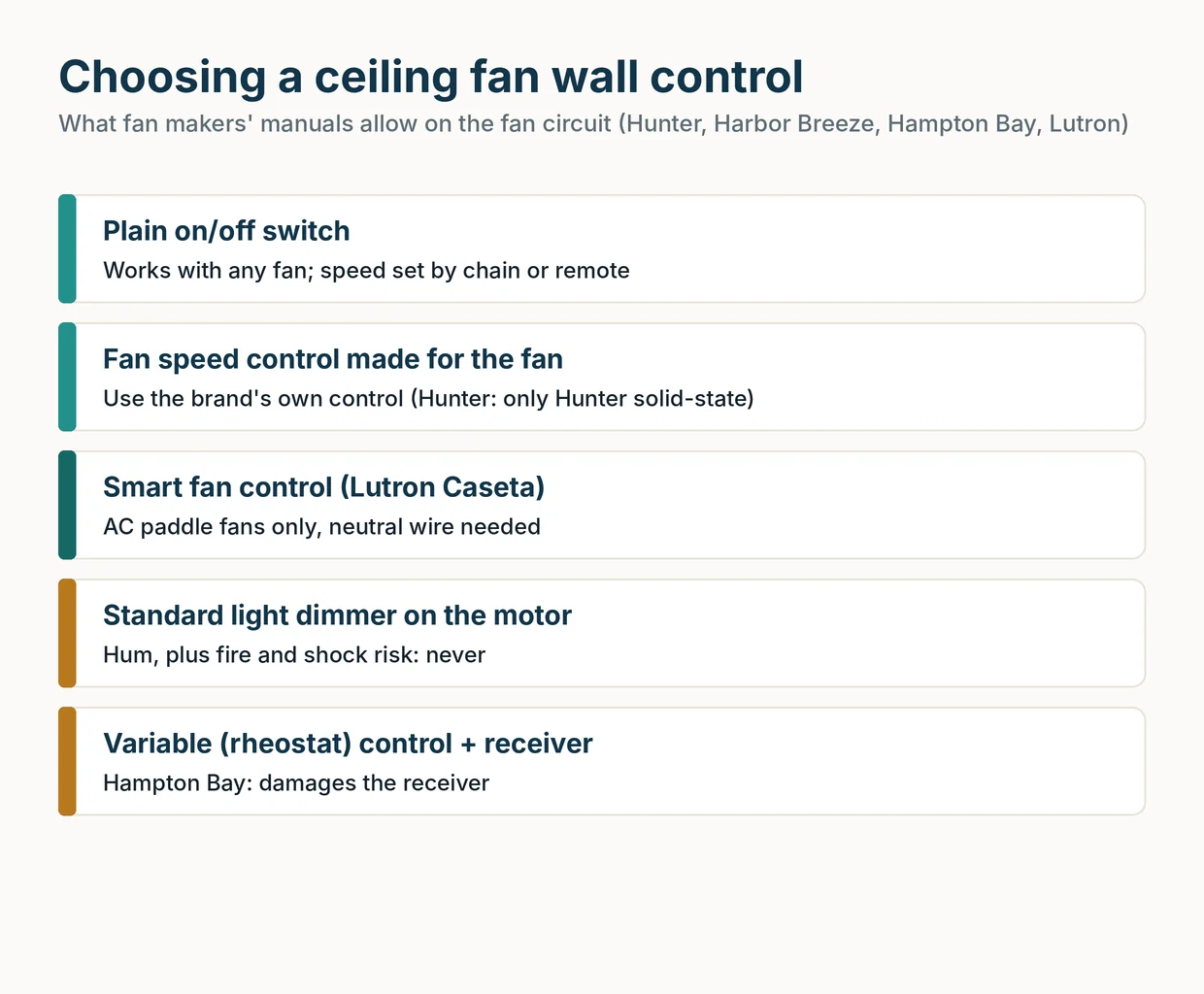
The short answer: the safest ceiling fan wall control is either a plain on/off switch or a fan speed control that your fan’s maker approves. Never put a standard light dimmer on a fan motor: fan makers warn it causes humming and is a fire and shock risk. DC-motor fans need the wall control made for that fan, and smart controls like Lutron Caseta work only with plain AC fans and need a neutral wire.
Picking the right control comes down to four questions: what motor the fan has, whether it already has a remote, how many switched wires reach the ceiling box, and whether you want app or voice control.
The 5 types of ceiling fan wall controls
Here’s how the common options compare, based on what fan manuals and Lutron’s own support pages say.
| Wall control | Works with | What it does | Main catch |
|---|---|---|---|
| Plain on/off switch | Any fan | Switches power; speed set by chain or remote | No speed control at the wall |
| Fan speed control from the fan’s maker | Fans whose manual lists it | Fan speeds (and sometimes light) at the wall | Brand-specific; Hunter allows only Hunter solid-state controls |
| Smart fan control (Lutron Caseta PD-FSQN) | AC paddle fans without remotes or built-in modules | 4 speeds, app via hub, Pico remotes | Neutral wire required; not for DC fans |
| DC fan wall control | The DC fan it was made for | Speeds, light, often reverse | Only works with that fan’s receiver |
| Standard light dimmer | No fan motor | Dims lights | Hum, fire and shock risk on a fan |
In our view, most people should start with the simplest option that does the job: a plain switch plus the fan’s own remote or pull chains.
Fan speed controls vs light dimmers
A light dimmer and a fan speed control can look alike on the wall, but they are not interchangeable.
- Hunter says an existing wall dimmer must be replaced with an on/off switch because a dimmer can’t operate a ceiling fan. It also lists a standard dimmer or variable speed control on the fan circuit as a common cause of humming.
- Harbor Breeze warns that controlling fan speed with a full-range dimmer will cause a loud humming noise and is a fire and shock risk. The same manual says not to use any solid-state speed control with that fan.
- Hunter says to use only Hunter solid-state speed controls with its fans, and notes that solid-state variable speed controls often create a hum on AC motors.
- Hampton Bay warns not to use its remote receiver with any variable (rheostat) wall control, and that wrong wire connections will damage the receiver.
The pattern is clear: the fan’s manual decides which wall control is allowed, and the answer differs by brand. Some fans accept the maker’s own speed control, some accept none at all.
Important: a dimmer made for lights is still a light dimmer, even if it sits next to the fan switch in a two-gang box. If the packaging doesn’t say it’s a fan speed control, and your fan’s manual doesn’t allow it, don’t wire it to the motor.
We’d skip any wall speed control your manual doesn’t name, even if it’s labeled “universal.”
Fan/light combo controls and switched wires
Whether you can run the fan and the light from separate wall controls depends on what’s already in the ceiling box. According to Hunter’s wiring guide and the Harbor Breeze manual, typical US fan wiring looks like this:
- Black: hot for the fan motor
- Blue (on the fan): hot for the light kit
- White: neutral
- Green or bare: ground
- Red (or a second black) in the ceiling box: a second switched hot, used only in two-switch setups
That gives you two common setups.
- One switched wire. The ceiling’s black connects to both the fan’s black and blue wires. The wall switch powers everything, and the pull chains or a remote split fan from light.
- Two switched wires. The black from the fan switch goes to the fan’s black, and the second switched hot goes to the fan’s blue wire, so one wall control runs the fan and another runs the light.
There’s a twist with remotes. Hunter notes that once a receiver is mounted in the canopy, the second wall switch no longer does anything, and Hunter’s remote guide says a remote fan won’t run at all if its wall switch is off. That’s why a remote-controlled fan usually pairs with a plain on/off switch left on.
Note: under NEC 314.27(C), if spare, separately switched hot conductors run to a ceiling box in a dwelling location suitable for a paddle fan, the box must be listed for paddle-fan support. A red wire in the box is a hint the spot was wired with a fan in mind, but only the box’s marking tells you whether it’s fan-rated. See our guide to the fan-rated box.
AC vs DC: compatibility is the deciding factor
Most generic and smart wall controls are built for AC motors. DC fans run on electronics inside the fan, and they expect the remote or wall control made for them.
- Lutron’s support article excludes DC-motor fans from its Caseta fan speed control.
- Hunter’s universal fan/light remote kit 99770 doesn’t work with DC-motor fans; Hunter says a DC fan needs a remote and receiver made for that fan.
- Hunter’s Smart Fan Upgrade Kit is also not compatible with DC-motor fans.
For DC fans, look at what the fan’s maker offers. A few examples from spec sheets:
| DC fan | Wall control per the maker |
|---|---|
| Hunter Phenomenon 70 in. | Wall control included, plus Wi-Fi app and voice |
| Casablanca Coveview 52 in. | Wall control and handheld remote included |
| Minka-Aire Xtreme H2O 65 in. | RC400 remote included; WC400 wall control compatible |
| Fanimation Odyn Custom | TR305 remote included; optional TW306 wall control |
| Kichler Szeplo II 80 in. | 6-speed DC wall transmitter 370036WHTR sold separately |
Mixing brands can cost you coverage, too. Minka-Aire’s warranty terms say non-Minka controls void the warranty. If you’re still choosing a fan, our AC vs DC ceiling fans guide explains the trade-offs, including speed counts and efficiency.
Tip: not sure what motor you have? The manual or spec sheet names it. Check the paperwork, or the maker’s product page for your model number, before buying any control.
Smart wall controls: Lutron Caseta and alternatives
If you want app, schedule or voice control at the wall, the best-documented in-wall option for AC fans is the Lutron Caseta Smart Fan Speed Control (PD-FSQN). Per Lutron:
- 4 fan speeds, for one fan up to 1.5 A at 120 V
- Neutral wire required in the wall box
- AC paddle fans only: not for DC motors, fans with integrated speed or light modules, remote-controlled fans or exhaust fans
- Extra control locations use Lutron Pico remotes, not existing 3-way switches
- The Caseta Smart Hub, sold separately, is needed for the app, scenes and schedules
Check the Lutron Caseta PD-FSQN on Amazon
Our pick for a basic AC pull-chain fan with a neutral at the switch is the Caseta control. Read Lutron’s exclusions against your fan’s manual before you buy, because a fan with a built-in receiver or light module is ruled out even if it has pull chains.
If your fan has a remote, a DC motor or no neutral at the switch, a wall-switch retrofit isn’t the right route.
How to choose your wall control
Work through these in order:
- Read the fan’s manual. Look for which wall controls it allows or forbids. That rule overrides anything on a switch’s packaging.
- Identify the motor. AC fans have the most options; DC fans need the maker’s own controls.
- Check for a remote or receiver. If there is one, keep a plain on/off switch at the wall and let the remote do the rest.
- Count the switched wires. One switched wire means one wall control; two let you split fan and light.
- Check for a neutral if you want a smart control.
Without any wall control, you can still run most fans by chain or remote.
Electrical safety before you swap a switch
Important: turn off the circuit breaker for the fan and the wall switch before removing any switch plate, and confirm the power is off with a voltage tester. If the breaker can’t be locked, tag the panel. The fan must hang from a fan-rated box. Follow the fan’s manual and local code, and hire a licensed electrician if you’re unfamiliar with wiring, if your wire colors don’t match the instructions, or if anything looks different from the diagrams.
Crackling, sizzling or a burning smell from a fan or switch means turn the power off right away. Hunter says wiring repairs belong to a certified electrician.
Frequently asked questions
Can I use a regular dimmer switch to control ceiling fan speed?
No. Hunter says a wall dimmer can't operate a ceiling fan and should be replaced with an on/off switch, and Harbor Breeze warns that a full-range dimmer on a fan causes loud humming and is a fire and shock risk. Use a fan speed control your fan's manual allows.
Do I need a neutral wire for a ceiling fan wall control?
A plain on/off switch doesn't, but many smart controls do. Lutron lists a neutral wire as required for its Caseta smart fan speed control (PD-FSQN). Check the wall box before you buy, and have an electrician look if you can't tell which wires are there.
Will any fan speed control work with a DC ceiling fan?
No. DC fans use the remote or wall control made for that fan. Lutron's Caseta fan control and Hunter's universal remote kit both exclude DC-motor fans, so look for the brand's own DC wall control, such as Minka-Aire's WC400 for the Xtreme H2O.
Can I control the fan and the light from separate wall switches?
Only if your ceiling box has two switched hot wires: usually black for the fan and red (or a second black) for the light. With a single switched wire, the pull chains or a remote have to split fan and light. Hunter notes that a canopy-mounted receiver makes the second wall switch stop working.
Why does my ceiling fan hum after I installed a new wall switch?
Hunter lists a standard light dimmer or variable speed control on the fan circuit as a common cause of humming, and notes that solid-state speed controls often create a hum on AC motors. Swap it for a plain on/off switch or the control your fan's maker approves.
Can I put a wall speed control on a fan that has a remote?
Usually not. Hampton Bay warns not to use its remote receiver with any variable (rheostat) wall control, and Lutron excludes remote-controlled fans from its Caseta fan control. With a remote, keep the wall switch as a plain on/off power switch.
Related guides
Buying Guides
AC vs DC Ceiling Fans: Which Should You Buy?
DC fans use far less power, have more speeds and run quieter; AC fans cost less and keep things simple. Here's how to choose.
7 min read
Buying Guides
How Long Do Ceiling Fans Last? Lifespan, Warranties and Signs to Replace
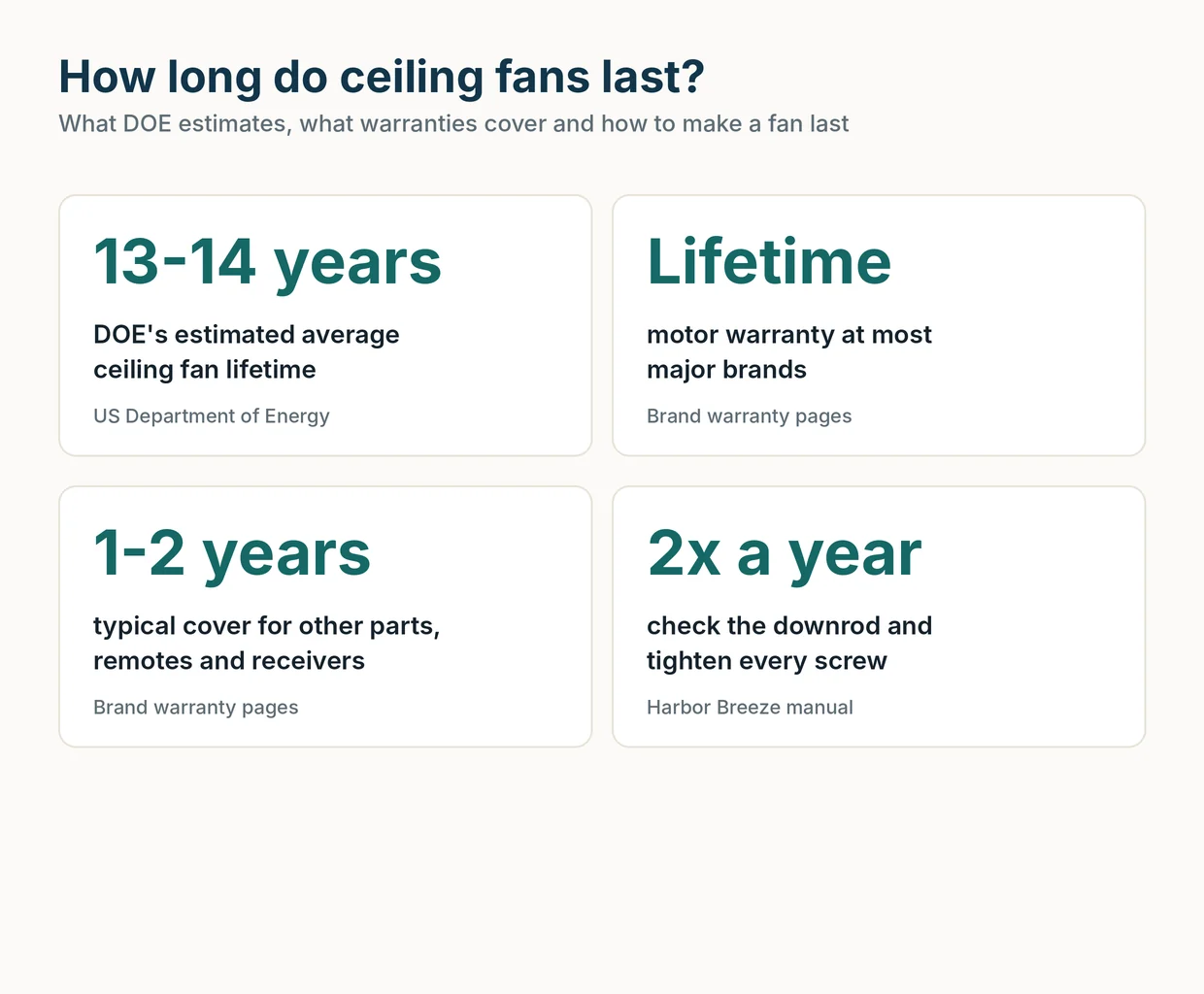
The US Department of Energy estimates a ceiling fan lasts about 13 to 14 years. Here's what wears out first, what warranties cover and when to replace.
8 min read
Buying Guides
Ceiling Fan Motor Types: AC Induction vs Brushless DC Explained
Which motor is in a ceiling fan, how AC induction and brushless DC motors differ, and how efficiency, speeds, noise and standby power compare.
7 min read
Buying Guides
Best Energy Efficient Ceiling Fans in 2026, Ranked by CFM per Watt
The most efficient ceiling fans we found in ENERGY STAR and EnergyGuide data, plus how CFM per watt, DOE minimums and DC motors work.
11 min read