Ceiling Fan Wobble: Why It Happens and How to Fix It
Most wobbly fans need tightened screws and a balancing kit, not a new fan. Here's the fix in order, and the signs that wobble is a safety problem.
By Cool Ceiling Ideas editorial teamUpdated 7 min read
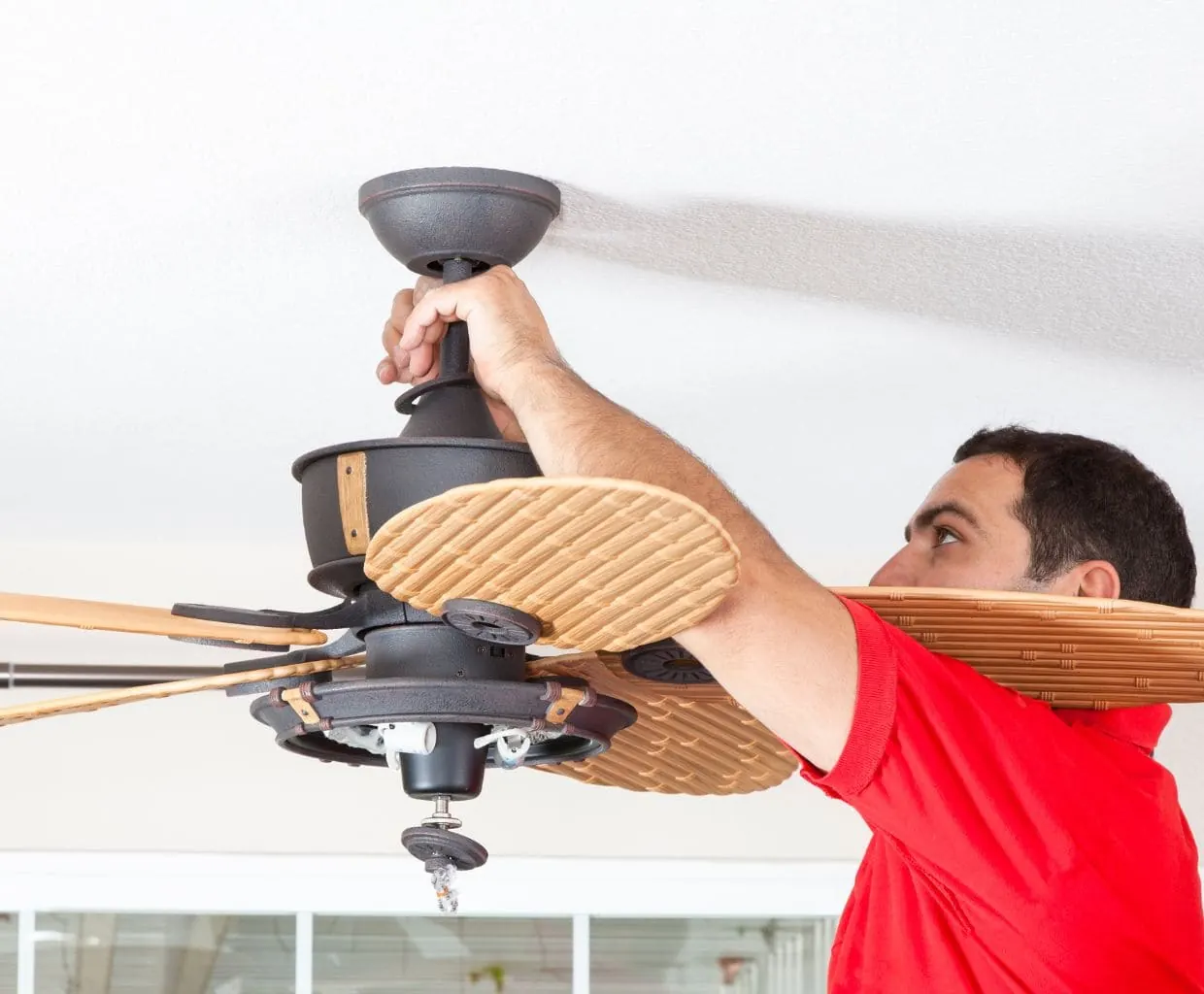
The short answer: most ceiling fan wobble comes from loose screws, a blade that sits higher or lower than the others, or uneven blade weight. Work through the fixes in order: tighten everything, check the mount, measure the blades, then balance with the clip-and-weight kit. If the wobble comes from the ceiling mount rather than the blades, stop using the fan until it’s been checked.
Why ceiling fans wobble
Hunter’s list of common causes covers almost everything you’re likely to find:
- Loose screws on the blades, blade irons (the metal arms), mounting plate, downrod, set screw or light kit. Hardware also loosens over time.
- Uneven blade weight or warped or bowed blades.
- Bent blade irons that hold one blade at a different angle.
- Dust buildup on the blades.
- A loose or wrong-length downrod, an uneven ceiling, or a faulty installation.
A Harbor Breeze manual adds two more: a fan that isn’t securely mounted, and a fan hung too close to a vaulted ceiling, which it fixes with a longer downrod.
Wobble isn’t just annoying. Hunter notes that prolonged wobbling adds wear to the motor and the mounting system, and a wobbling fan is often a noisy one too.
How much wobble is normal?
There’s no official number. None of the manuals or support pages we checked from Hunter, Minka-Aire, Fanimation, Hampton Bay or Harbor Breeze gives a measured tolerance.
What the makers do say:
- Hampton Bay: a Southwind owner’s manual states that some wobble is normal and isn’t considered a defect.
- Hunter: its fans are designed to be wobble-free when installed correctly. If tightening and the included balance kit don’t fix it, Hunter asks you to call support with your model number and receipt.
In our view, a slight sway on high speed with every screw tight and the canopy rock-solid is normal fan behavior. What isn’t normal: the canopy or bracket shifting against the ceiling, clunking, or wobble that keeps getting worse. Those point to the mount, and we cover them below.
Before you start
- Turn the fan off and let the blades stop completely.
- Use a sturdy step ladder, not a chair.
- Check clearance. Hunter’s wobble checklist starts with at least 30 inches from the blade tips to the nearest wall or object, and manuals require blades at least 7 feet above the floor.
Step 1: Tighten blade screws and blade irons
Snug every screw that holds a blade to its blade iron, and every screw that holds a blade iron to the motor. Make sure each blade holder is firmly attached. This is the first fix in Hunter’s manual and in Harbor Breeze’s troubleshooting table, and it solves a lot of wobble on its own.
Don’t bend the blade irons. Hunter and Harbor Breeze manuals both warn against bending blade brackets or arms while installing, balancing or cleaning.
Step 2: Check the mount and the downrod ball
If the canopy moves, or wobble stays after Step 1, look at the mount.
Important: Turn off power at the circuit breaker, not just the wall switch, before you lower the canopy. Confirm it’s off with a voltage tester. If you’re unsure about anything you see inside the canopy, stop and call a licensed electrician.
- Lower the canopy as your fan’s manual describes.
- Check that the mounting bracket is tight to the electrical box and that the box doesn’t move.
- Check that the hanger ball at the top of the downrod is properly seated in the bracket.
- Tighten the set screws on the downrod, the hanger ball and the motor yoke. Harbor Breeze lists loose set screws as a cause of excessive wobble.
Harbor Breeze says box stability is essential to minimizing wobble and noise, so note what the bracket is screwed into (see the safety section).
Step 3: Check the blades for warping and tracking
Sight down the edge of each blade. Hunter says warped blades can’t be balanced and should be replaced.
Then measure blade tracking, the method in Westinghouse’s balancing-kit instructions:
- Hold a yardstick vertically against the ceiling, level with the outer edge of one blade.
- Note the distance from the ceiling to the blade.
- Turn the blades by hand and measure each one at the same spot.
If one blade reads differently, it’s sitting at the wrong height. Check that its screws are tight and that it’s on the correct blade iron. Westinghouse’s older instructions suggest gently bending a blade holder back into line, but Hunter and Harbor Breeze tell you not to bend them. We’d follow your own fan’s manual, and if it says don’t bend, ask the manufacturer for a replacement blade iron instead.
A simpler trick from the Harbor Breeze manual: swap one blade with the blade on the opposite side, then test again.
Step 4: Clean the blades
Hunter lists dust buildup as a wobble cause. Wipe each blade gently; pressing too hard can knock a blade out of balance.
Step 5: Balance the blades with a balancing kit
If the fan still wobbles, the blades are uneven in weight. Hunter says every Hunter fan includes a balance kit, and Harbor Breeze and Westinghouse manuals list one too: a plastic clip and some adhesive weights.
- Find the wobble. Run the fan on high (Hunter says counterclockwise on HIGH for 10 to 20 seconds) and watch how much it moves.
- Clip one blade. Turn the fan off. Slide the clip onto the trailing (rear) edge of one blade, halfway between the blade holder and the tip. Run the fan and note whether the wobble gets better or worse.
- Try every blade. Turn the fan off each time and move the clip to the next blade. Note which blade improves the wobble most.
- Fine-tune the position. On that blade, slide the clip inward and outward in small steps, testing each time, to find the spot with the least wobble.
- Add a weight. Stick a balancing weight on the top of the blade along its centerline, in line with the clip. Remove the clip.
- Retest on high. If some wobble remains, add another weight or repeat the process on a second blade.
Tip: Always switch the fan off before moving the clip. Westinghouse warns that a clip that isn’t secure can fly off and hurt someone, so stand clear while you test.
Lost your kit? Replacement kits use the same clip-and-weight method.
See ceiling fan balancing kits on Amazon
When ceiling fan wobble is dangerous
Blade wobble is a nuisance. Mount wobble is a safety problem. Turn the fan off at the breaker and don’t use it again until the cause is fixed if you see any of these:
- The canopy, bracket or box moves against the ceiling when the fan runs.
- The hanger ball is not seated in the bracket, or keeps slipping out.
- The fan hangs from a box that isn’t rated for fan support.
Harbor Breeze warns that the box must be securely attached to the building structure and able to hold the fan’s full weight, and that failure can cause serious injury or death. It also notes that most boxes used for light fixtures aren’t acceptable for fans. According to Hunter, a fan-rated box is round or octagonal, attached to a joist, wood block or adjustable brace, and usually marked “Approved for Ceiling Fans” or with a weight rating. If the fan’s bracket is wider than the box, the box is probably not fan-rated. Hunter’s manual calls for a box marked for fan support of 70 lb, or mounting to the building structure.
Important: Replacing an electrical box is wiring work. Turn off power at the breaker, follow your fan’s manual and local code, and hire a licensed electrician if you’re unsure.
Also check for recalls. Between January 2020 and October 2026, CPSC announced eight ceiling fan recalls, and most involved blades or blade holders breaking or detaching. If a blade is cracked or a blade holder looks damaged, stop using the fan and check the CPSC ceiling fan recall list for your model.
Keep it from coming back
Harbor Breeze advises lowering the canopy at least twice a year to check the downrod assembly and tighten all screws, with the breaker off. We’d do the same check whenever you clean the blades.
Still wobbling after all five steps? We’d contact the manufacturer with your model number. Shopping for a replacement? Our best ceiling fan brands guide compares motor warranties, and our quietest ceiling fans list suits bedrooms.
Frequently asked questions
How much ceiling fan wobble is normal?
No major fan maker publishes a number. Hampton Bay's manual says some wobble is normal and not a defect, while Hunter says its fans are designed to run wobble-free when installed correctly. A slight sway with all hardware tight is usually not a concern; movement at the ceiling mount is.
Can a wobbling ceiling fan fall?
The blade wobble itself rarely brings a fan down, but a loose mount or an electrical box that isn't rated and secured for a fan can. Harbor Breeze warns that a box that can't hold the fan's weight can cause serious injury or death. If the canopy or bracket moves, turn the fan off at the breaker and have it checked.
Why does my ceiling fan only wobble on high?
Small imbalances in blade weight or angle show up most at high speed, which is why Hunter tells you to test on high for 10 to 20 seconds. Tighten all blade screws first, then use a balancing kit to find and correct the heavy or light blade.
Do ceiling fans come with a balancing kit?
Many do. Hunter says a balance kit comes with every Hunter fan, and Harbor Breeze and Westinghouse manuals list one too: a plastic clip plus adhesive weights. Replacement kits are sold separately if yours is lost.
Can a warped blade be balanced?
No. Hunter says warped blades can't be balanced and should be replaced. Check by sighting down each blade edge and by measuring each blade's distance from the ceiling with a yardstick.
Related guides
How-To
Ceiling Fan Direction: Which Way Should It Spin in Summer and Winter?
Counterclockwise in summer, clockwise on low in winter. How to check which way your fan spins, how to switch it on any fan, and how much it really helps.
7 min read

Room Ideas
Quietest Ceiling Fans in 2026: Picks for Bedrooms
What independent lab testing says about quiet ceiling fans, six bedroom picks with honest notes on missing noise data, and how to quiet a fan you own.
8 min read